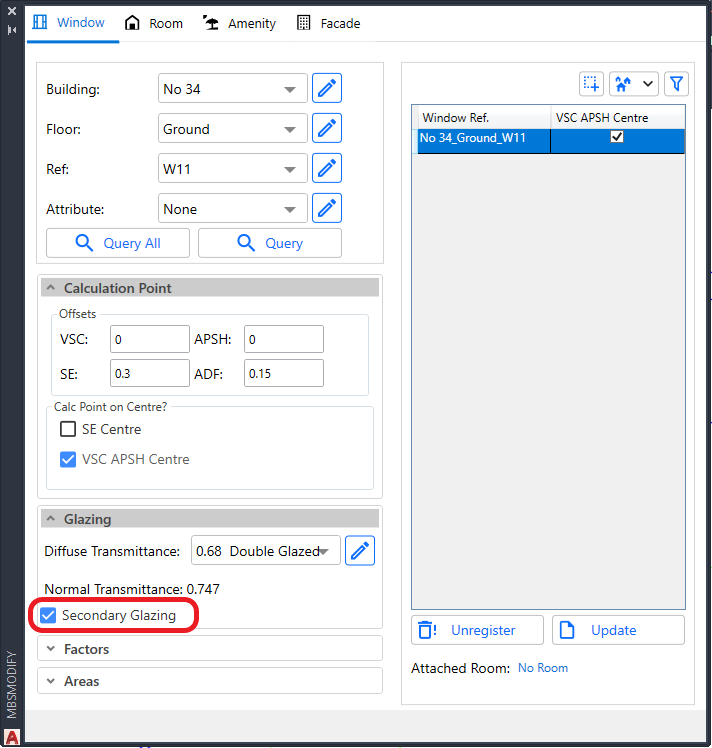


- This is an option which can be assigned to Windows during Registration or Update.
- This option is targeted for VSC and ADF calculations.
- Useful to analyse windows behind transparent balconies and winter garden.
- The windows in winter garden and transparent balcony can be registered as Secondary Glazing in order to reduce the inside window result by the relevant transparency of the outside window.
- For VSC and ADF calculations,
- If the outside windows are registered as normal windows, they will be treated as fully transparent by the inside window and thus not reducing the result by the relevant transparency.
- For ADF calculation,
- They don’t need to be/should not be attached to the Room when running ADF calculation.
- If they are attached to the room, they will be automatically ignored when calculating the room ADF to avoid overestimating the value.
- For ROL/DD calculations,
- The Secondary Glazing windows are ignored as if they are fully transparent.
- This is to avoid the need for them to be removed from the groups when running ROL/DD calculations.
- Because registered windows which are not attached to the room being calculated will be treated as opaque surface by ROL/DD calculations.
- It is also possible to calculate VSC for the Secondary Glazing Windows.
- The alternative is to assign ThinGlass material to the balcony surfaces using MBS material dialog.
- Refer to How to assign the Materials for Balconies? topic under Material Settings knowledge page.