


How to activate the Trial License?
The Trial license is automatically activated when any of the MBS dialog is open for the first time.
- The license will be valid for 7 days from the time of activation and gives access to Full features of the Plugin.
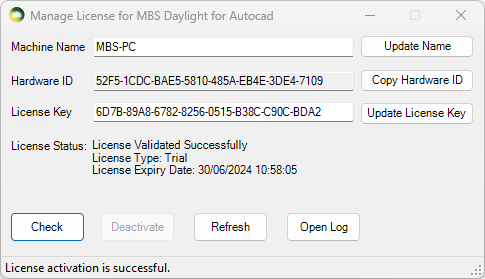
To Check the status of the Trial License
- Click on the License menu on the MBS toolbar.
- It can also be opened from MBS Calculation Dialog > Help Menu > Manage License
- Press Check
How to upgrade to the Subscription License?
- Once you purchase a Subscription license from MBS, We will provide you with a License key.
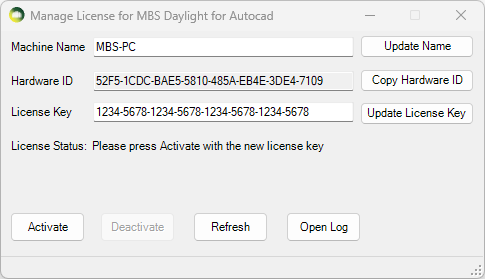
- Open the Manage License dialog
- Paste the key onto the License Key textbox and Press Update License Key.
- Press Activate. (Internet connection is required).
- The software validates the license regularly with our license server to allow the license to be used on multiple computers.
- Sometimes the firewall or anti-virus restrictions can block the license activation and validation. Contact us for details about the license server address which the IT team might need in order to allow the activation and validation.
* The plugin can be installed and used on multiple computers. There is a 30 min cooling off period once the plugin is used on one computer before it can be used on another computer.
How to transfer the Subscription License to another computer?
- The plugin can be installed and used on multiple computers.
- There is a 30 min cooling off period once the plugin is used on one computer before it can be used on another computer.
- If the plugin needs to be used before the cooling off period, the license needs to be de-activated from the computer where it was last used.
- Open the Manage License dialog.
- Press Deactivate
- Once it is de-activated, it can be activated immediately on another computer.